
Slope on a School Chromebook: How This Copy Loads and Runs
Published · Updated · 2 min read
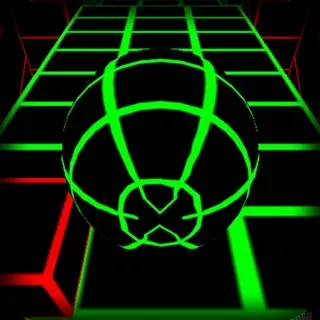
When a school network lets this page through, it also lets the game through, because the game files sit on the same domain. This post covers what that copy is, what your Chromebook downloads when you press Play, and which parts of the original game work here and which do not.
What is in the /play/ folder
The game is the Y8 release of Slope exported from Unity. The loader file in the build is named for Unity 2020.3.23f1, and the build is made of three main files:
| File | Size | What it holds |
|---|---|---|
| SlopeBuild.wasm | about 21.4 MB | The compiled game engine and game code |
| SlopeBuild.data | about 7.8 MB | Track pieces, textures, sounds, fonts and the game logic |
| SlopeBuild.framework.js | about 0.6 MB | The JavaScript glue between the browser and Unity |
That is roughly 30 MB on the first load. On a slow school connection the loading bar can take a while; after that the browser cache usually makes the next visit quicker. The engine also has to start WebGL, so a low-end Chromebook can sit on a dark screen for a few seconds before the menu appears.
Controls on a Chromebook
The hint text inside the game reads steer with arrows, a/d or q/d. The Q and D option came in version 1.3, so players with a French AZERTY keyboard can use the keys in the same place as A and D on a US layout. The build also has left and right touch zones, so on a touchscreen Chromebook you can steer by touching the left or right side of the game, though keys are more precise. The Enter key is also wired to the game's reset action, which is handy when you want to try again without reaching for the touchpad.
Buttons that work and buttons that do not
The main menu of the original game includes Leaderboard, Login, Android app, Send feedback and Credits buttons, plus the sound on/off button added in version 1.3. On this site:
- Playing, the score and the sound button work normally.
- Login and the online leaderboard belong to Y8's account service. The site replaces that service with an empty file, so these buttons do not connect to anything here.
- Ad breaks between runs do not play. The Y8 build asks for an ad between runs, and the page wrapper answers right away so the game carries on.
Where your best score lives
Slope stores the best score with Unity's PlayerPrefs under a key named HighScoreSlope. In a browser build, PlayerPrefs is kept in the browser's own site storage for this domain. That means:
- The score stays on that Chromebook and that browser profile only.
- Guest mode, clearing browsing data or a managed Chromebook that wipes data at sign-out will reset it.
- Signing in on another Chromebook starts again from zero, because nothing is sent to an account.
If the game does not start
A black frame with no loading bar usually means WebGL is turned off or the device is busy. Close other tabs, reload the page and try again. If your school has blocked the whole domain, the page itself would not load either, and the right move is to play at home.
More from the blog
- Slope High Score Guide: What Ends a Run and What Adds Points
How Slope counts your score, the two ways a run ends, what each SPEED UP changes, and steering habits built around those rules.
- Games Like Slope: Tunnel Rush, Drift Boss and Other Picks
Five games on this site that share something with Slope, from Tunnel Rush's 3D tunnel to Drift Boss's no-guardrail track, and how each one differs.